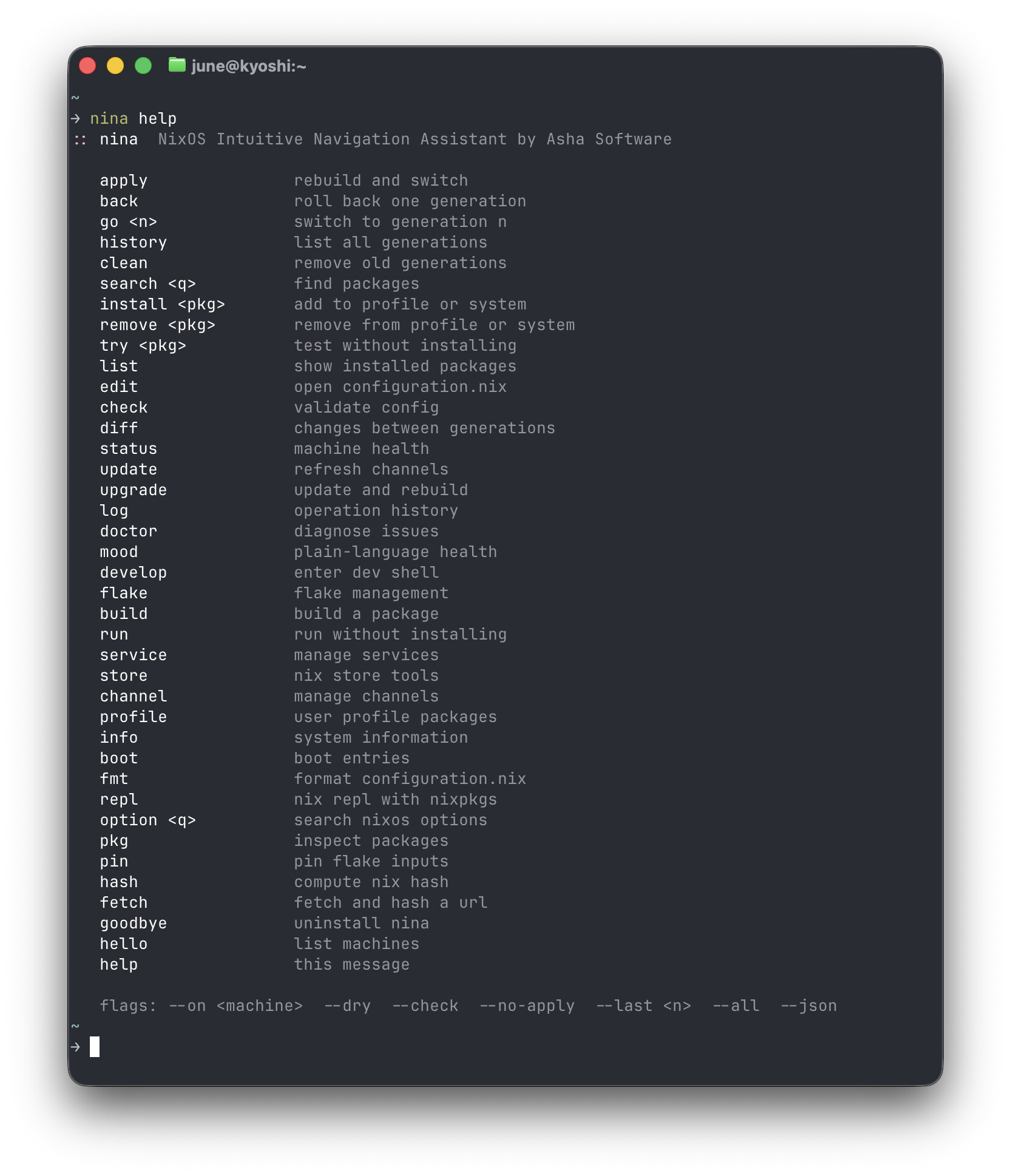
Hey guys, June here! I’ve been building Nina for a while because NixOS became my favorite linux distro to use but the command surface is brutal and confusing with way too many layers of abstraction. I have actually some really exciting ambitious things planned for NixOS as a whole but i’ll talk more about that at a later date!
Nina wraps the full NixOS command surface in plain memorable verbs. One binary, zero dependencies, written in Zig 0.16.
The search widget is the part I’m most proud of — it opens inline, results scroll with you as you navigate, you can backspace and search for something else without leaving. No more switching to the browser and searching the nixpkgs site for everything.
you absolutely can but you’d have to do it like this
nix run https://kepr.uk/nina/archive/HEAD.tar.gz -- help nix run https://kepr.uk/nina/archive/HEAD.tar.gz -- search firefox
Doing it like this will just toss nina in your profile so you can try her by just running nina help, nina install etc nix profile add https://kepr.uk/nina/archive/HEAD.tar.gz
If you decide you don’t like it just run nina goodbye and she’ll take her exit!
~ on ☁️  (us-east-1)
❯ : nix run https://kepr.uk/nina/archive/HEAD.tar.gz -- setup
:: checking nix features
   -> nix-command  enabled
   -> flakes       enabled
:: all set

~ on ☁️  (us-east-1)
❯ : nix run https://kepr.uk/nina/archive/HEAD.tar.gz -- mood
:: error: ~/.nina.conf not found
   -> run nina to set up

~ on ☁️  (us-east-1)
❯ : nix run https://kepr.uk/nina/archive/HEAD.tar.gz -- init
:: error: ~/.nina.conf not found
   -> run nina to set up

~ on ☁️  (us-east-1)
For reference, I manage my whole home network in a single flake, I never manually add/remove things from profiles.
Sorry about that, try again. It should work now. Nina doesn’t have to be in your profile, you can absolutely use her the way you want to. First run should take you to setup now.
A new nina home command group manages your Home Manager configuration alongside your system. All commands work with both standalone and NixOS module setups.
nina home apply       apply your home configuration
nina home apply --dry preview changes without applying
nina home back        roll back to the previous home generation
nina home history     list all home manager generations
nina home diff        what changed between generations
nina home check       validate without applying
nina home edit        open home.nix in your editor
nina home packages    list packages managed by home manager
nina status and nina doctor now show your Home Manager generation and health alongside system information.
Flake-aware system commands
nina apply and nina upgrade now detect whether your config directory contains a flake.nix and use the correct rebuild path automatically. No configuration needed — it just works.
The setup wizard scans for flake.nix on first run and configures itself accordingly. Channel commands note themselves as irrelevant on flake systems and point you to nina flake update instead.
v3.0.24 — Community feedback improvements
Config now stored at ~/.config/nina/config following XDG conventions. Existing ~/.nina.conf is migrated automatically on first run.
nina why <pkg> added as a top-level alias for nina pkg why
nina flake, nina service, nina store, nina channel, nina gen, and nina pkg now show a subcommand list when called with no arguments
All service commands support --user for user-managed systemd services
Pre and post hooks for apply, back, home apply, and upgrade. Drop executable shell scripts in ~/.config/nina/hooks/ — nina runs them and checks the exit code before and after each operation.
# ~/.config/nina/hooks/pre-apply
# example: check for uncommitted changes before applying
if koh status | grep -q "unsaved changes"; then
    echo "unsaved changes — save before applying"
    exit 1
fi
If a pre-hook fails, nina warns and asks whether to continue. Post-hook failure shows a warning without affecting the command result.
Plain-english error messages
Build errors are no longer raw nix output. 25 known error patterns are translated to plain english with a specific suggestion. Unknown errors are structured and stripped of noise. You always get a calm, readable response — never a wall of nix machinery. Working to extend to more error patterns
Live build panel
nina apply and nina upgrade now show a live panel while the system rebuilds — the current package name updating in place and a colored progress bar.