How is the Zig Debugger now?

Windows 11 22H2 (OS Build 22621.6060)
Visual Studio Code v1.143.1
Zig v0.18.0

I checked this forum regarding debugging articles, not much solutions found.

Currently, I tested Zig with options:

zig build-exe -fllvm -target x86_64-windows-gnu -O Debug test.zig -femit-bin=test.exe

zig build-exe -fllvm -target x86_64-windows-msvc -O Debug test.zig -femit-bin=test.exe

and with VSCode launch.json:

"configurations": [
   {
   ...
      "type": "lldb", // also tested "cppvsdbg"
      "request": "launch",
   ...
   }
]

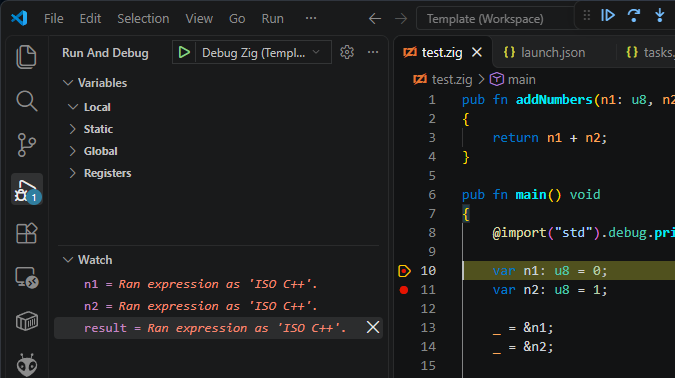
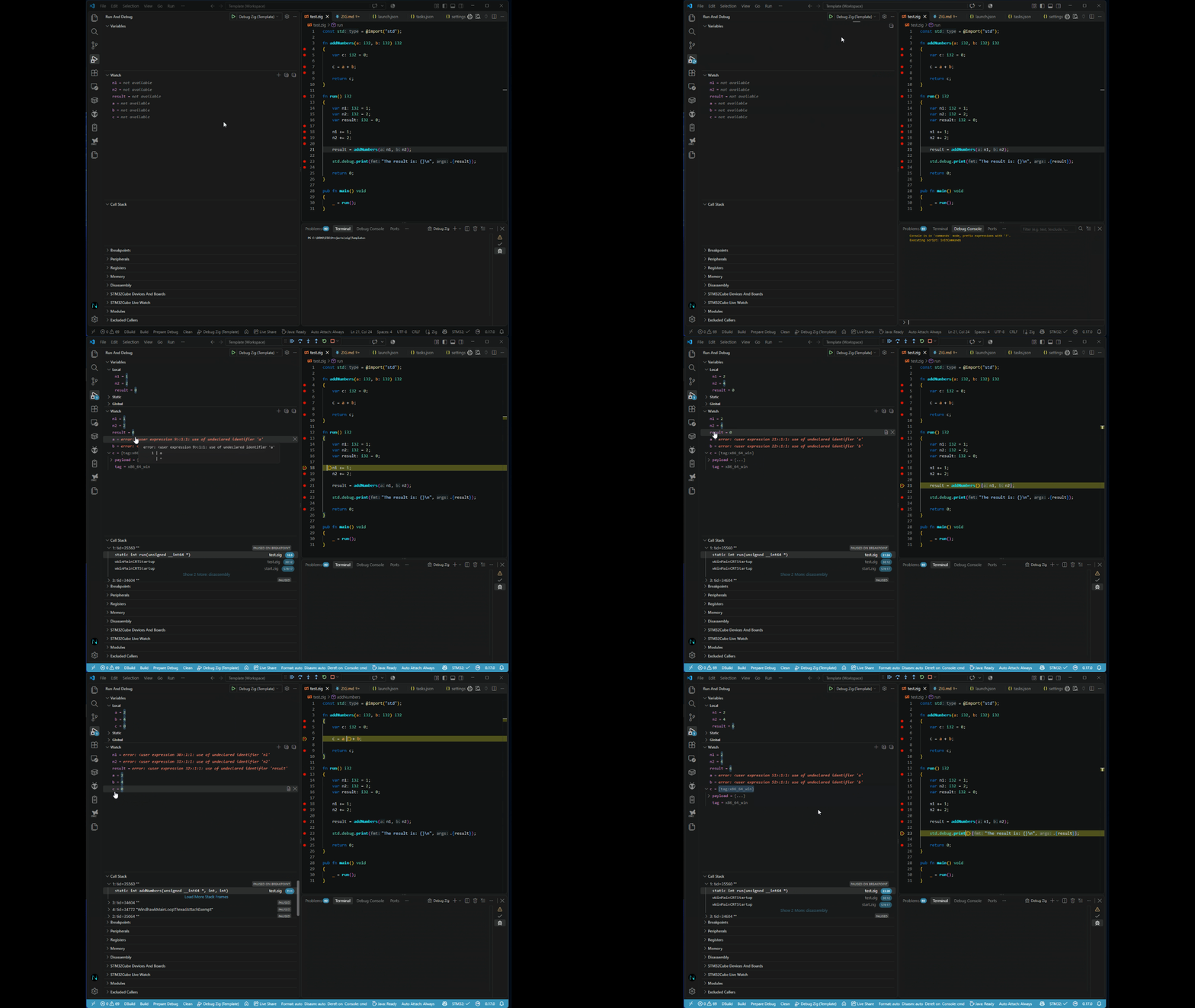
Both “type” of “lldb” and “cppvsdbg” cannot correctly show the variables added under “Watch” panel, I received something like below,

Please advise

these threads may be helpful

Firstly, I changed to Zig 0.17.0 stable version just in case.

I did read that thread before, tested is not working for me, I also visited this Youtube also not working at my side using Windows.

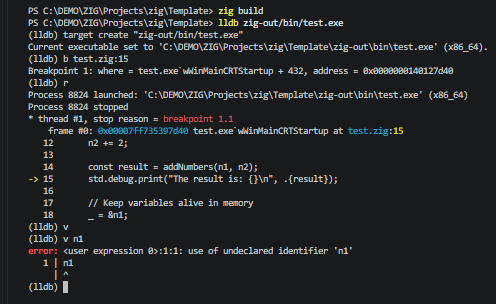
I am able to use lldb to load the executable, set the breakpoint then ‘r’ and ‘v’ shown nothing, even I bypassed the variables line.

Debugging C/C++ source is fine, but not debugging a pure Zig Language written program.

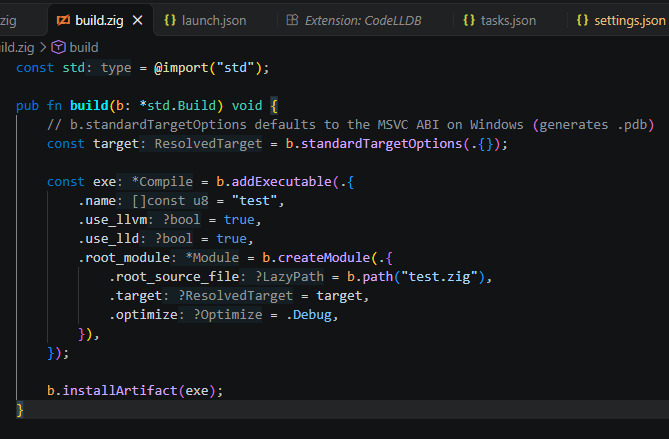
build.zig:

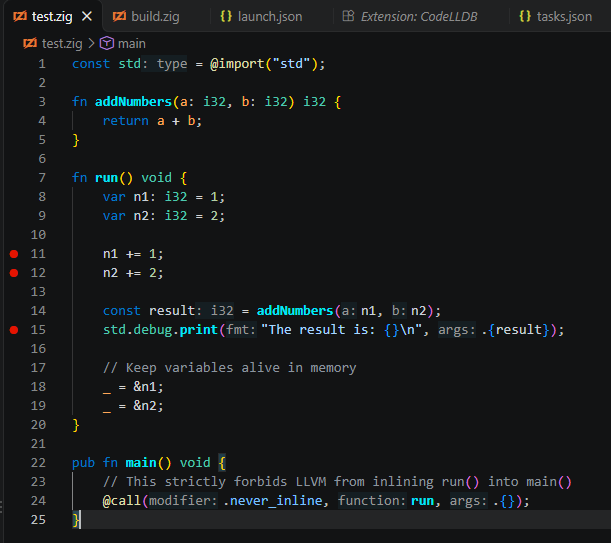
test.zig:

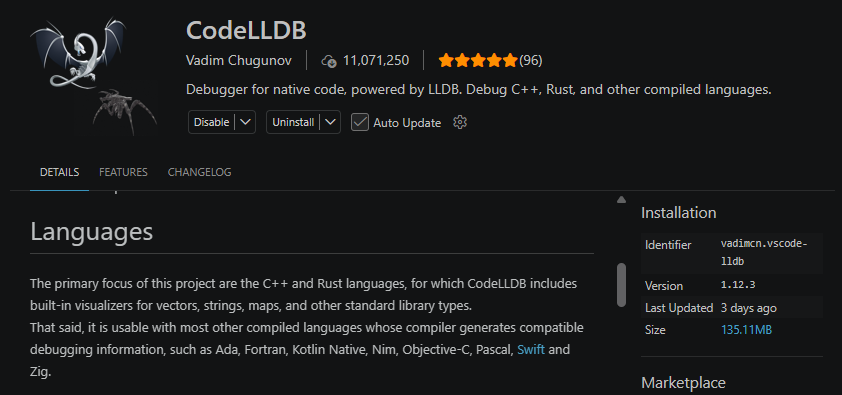
Using CodeLLDB from “C:\Users<username>.vscode\extensions\vadimcn.vscode-lldb-1.12.3\lldb\bin\lldb.exe”:

I read the CodeLLDB is focuing on C/C++ and Rust, does it means not suitable for Zig Debugging ?

Just pointing out with the example code you posted it is entirely possible and reasonable for those variables to be optimised out, even in debug mode LLVM may still do some trivial optimisations.

Hi,

I found some solutions for viewing variables added to the Watch pane while using F5 step debugging in VS Code.

However, with respect to the policies of this forum, and after reading the migration announcement, I am unsure whether it is appropriate to share a solution that I discovered with some assistance from AI while troubleshooting the problem, especially since I am new to Ziggit.

Here is what I can share:

ZIG - VSCode F5 Debugging

Hopes, this help.

The ziggit policy is just that you have to disclose that LLMs were used, and ideally how they were used. And that you can’t use them to write your messages (minor exception for language translation, with a disclaimer as they can be bad).

There is no issue with explaining a solution to your problem that you happened to use an LLM to help with.