I never tried zig fuzzing prior to 0.16. There are some hints in the 0.16 release notes and there are older posts like this which aren’t as helpful any more because of the big changes with the new smith. I’m interested enough that I’d like to get my head wrapped around it and try to write a basic doc. So…
Can anybody point me to more current treatment, beyond the release notes and the code (which are helpful)?
I have a functional basic test setup knocked out, but when I try to build, I get @panic("missing --cache-dir=[path] argument") even if I explicitly indicate --cache-dir (or --global-cache-dir, for that matter).
zig test -ffuzz --cache-dir ./cache src/test_fuzz.zig
This is true for both 0.16 and master.
zig test, when run without -ffuzz, DOES indicate that 1 fuzz tests found (but doesn’t run the fuzz, of course).
EDIT: for the record, for now, the tl;dr summary is that zig build must be used and ReleaseSafe must be used (probably wanted, but necessary due to a bug atm). Thanks @dimdin and @kristoff. zig build test -Doptimize=ReleaseSafe --fuzz
Thank you. That’s a bummer; I’d love to be able to do specific source-file fuzzing… but perhaps it’s just not yet hooked up properly; I’ll try zig build for now.
However, for both 0.16 and master, after I tweak things and put my simple fuzz test into a brand new project of its own so that zig build won’t be distracted by anything else, I get a thread panic: "start index 1 is larger than end index 0.16 this is in Fuzz.zig:
lib/std/Build/Fuzz.zig:477:17: 0x134de7d in addEntryPoint (std.zig)
        for (pcs[1..], 1..) |elem_addr, i| {
                ^st.fuzz
Perhaps I’ll lean on somebody for help, if it’s well-known territory that’s just out of my experience yet. If not, I’ll dive deeper.
Ah, indeed, perfect, thank you. That seems like an easy one to fix up-front with a check for ReleaseSafe if --fuzz. For now, this is helpful documentation, and is the kind of thing I’d like to include (along with “zig test -ffuzz is not (yet) supported”) in a little doc for getting started with basic fuzzing.
the crash is a bug, it should also work in Debug mode, but when fuzzing you do want normally ReleaseSafe because you want all the asserts but otherwise you want to go fast so you can cover more input space in less time
I’m hijacking my own thread here with a newly raised eyebrow.
Background: I’ve typically used zig test src/foo.zig as a regular exercise while developing foo. (Then I move on to bar.zig, and so-on goes my workflow.) I have essentially NO experience with zig build test. However, now that I have to used zig build test --fuzz to fuzz, I’m trying to familiarize myself with it. A couple of things stump me. I see in very old documentation (0.10, for example) references to refAllDecls(), to include sub-file tests within/src, and old references like this, which also talk about adding tests one-by-one to build.zig (which is less attractive to me, but perhaps the only way). But, just to test my intuition, I mkdir’d a new dir, ran zig init, and then ran zig build test. Would one normally expect this to at least run the tests auto-generated in main.zig and root.zig? But, in my test, it runs none of those tests. zig test root.zig works as expected, and zig build test -Doptimize=ReleaseSafe --fuzz works as expected, but not plain zig build test. Am I seeing a transient? Or is this by design, and I missed it in the documentation?
I’m assuming that you just believe the tests are not being executed because you don’t see any output. Try making a test fail or just use zig build test --summary line to force it to print test results.
Also worth noting: refAllDecls was not there to add tests. It was there to reference all declarations which would let you hit some compile errors in otherwise unreferenced functions.
Yes, I see that zig build test is “silent by default”, whereas zig test foo.zig is “informative by default”. This doesn’t seem intuitive. Might it make sense for them to be the same? Either way would be fine, imo.
Yes, I was aware that refAllDecls is to “reference all of the containers that are in the file including the imported Zig source file” (according to the old documentation; it’s not in newer documentation, though the function still exists and still works). Well… “works”…
No, refAllDecls didn’t work as expected. In the old documentation (including an example that verifies this), it’s only necessary to @import a file with tests in it. Today, at least, you have to do more - your code also has to make some reference (assign a local const in main.zig, e.g., that is of a type in the included file) - only then will the tests (possibly entirely unrelated to that reference) work.
Unless I’m missing something, it seems there’s room for improvement. I’d advocate for
behavior in zig build test to match behavior in zig test file.zig, in terms of defaults (silent versus informative),
behavior in zig build test --fuzz to match behavior in zig test -ffuzz file.zig… if there’s a reason that zig test -ffuzz should not work, then the -ffuzz arg should not exist for the purpose. And, of course, one could suggest that the arguments’ symmetry could be improved, perhaps with --fuzz being the only use, used everywhere.
refAllDecls should be removed if it’s no longer used, or added back to the documentation if it IS expected to be an optional way one can reference tests from referenced files, but it should not be magically necessary for that @import to be used elsewhere in the file. Documentation should reference use of addTest() in build.zig along with refAllDecls if both are options.
That makes some sense, and also works. But, additionally, if your @import is not declared pub, but you call something from it within the same code, then the refAllDecls() suddenly works. Ex:
const std = @import("std");
const foo = @import("foo.zig");

test {
   std.testing.refAllDecls(@This());
   foo.bar(); // comment this line out and foo's tests will NOT be run; leave it in and they WILL
}
Is that basically a bug?
I think I can see the reason that the decision to use pub as a switch makes sense here - this way, for instance, all the std tests don’t run! However, it also seems it would be a common pattern to do this in main.zig - have your (own) implementation imports, and want their tests to run. But in this case, you’d have no purpose for declaring those imports pub otherwise (you’re in the main.zig of your executable). I guess that’s when you’d hijack pub to indicate which tests you might like run in zig build test. This seems a little awkward. Granted, the advice I might give myself at that point is: “just use build.zig to addTest if you want specific tests, and leave refAllDecls out of the picture.” But then, is this a case of needlessly having two ways of doing one thing, and perhaps life would be better for everybody if there was only one way? (i.e., get rid of refAllDecls() altogether? Its documentation in the main zig doc did disappear sometime between 0.10 and 0.15, after all.)
EDIT: I realize from the std example that you posted that that use-case makes sense. And, indeed, especially here, I would personally lean toward this std.zig manifestation over using build.zig (though I could see counter-arguments). So this might just be a documentation/lore thing: “based on your project, ‘way 1’ or ‘way 2’ might be best for you, but note these details about ‘way 2’…” - I think I could live with that, and would be motivated to document that, as I’d be one who would benefit from that explicit documentation.
refAllDecls is just a convenience; the real thing that matters is just that the stuff you want to be evaluated is referenced in a test block. For example, these are effectively equivalent:
pub const foo = @import("foo");
pub const bar = @import("bar");

test {
    // implicitly/programmatically reference the pub decls
    std.testing.refAllDecls(@This());
}
const foo = @import("foo");
const bar = @import("bar");

test {
    // explicitly reference decls
    // note: this doesn't rely on foo or bar being pub
    _ = foo;
    _ = bar;
}
Note that the zig init template calls addTest twice: once with main.zig as the root file, and then another time with a separate root.zig as the root file. This root.zig (or <libname>.zig or whatever you want to call it) by convention acts as the root for both library users and tests (this is what lib/std/std.zig is for the Zig standard library). This is where refAllDecls becomes handy, since you naturally are going to have pub decls for all the parts of your library you are exposing to users.
Note also that there are plenty of other instances in the standard library where explicit references are used instead (here’s one chosen at random).
And then for things that are referenced in test blocks naturally, you don’t have to do anything special, e.g. if you have a test.zig:
then zig test test.zig will run the tests from both files since foo is referenced in the something test.
Something else that seems worth clearing up is that zig build test just runs zig test under the hood; they aren’t separate mechanisms, they just report the results differently. You can run zig build test --verbose to see the zig test commands being run.
Thank you, that’s all very helpful. I was relieved to find that they’re the same code path, and that --verbose is the only real (and topical) difference, though that difference does try to put one out of joint when first discovering it as I did. To be fair, at the base level, there are these very (discussed) the differences related to how tests are run at all, when using zig build, and understanding things about refAllDecls and pub@imports is useful to connecting the dots. It’s all rather clear now, and hopefully I didn’t just miss this full documentation somewhere (other than finding the right references in the codebase). I’ll certainly reference this thread in documentation I attempt.
Is there any special knowledge about why zig test -ffuzz file.zig does not work? @dimdin indicated that “For fuzzing you need the builder functionality.”, which is, perhaps, sufficient “enough”… but it might be good to know, then, whether -ffuzz ought to be removed from options available to zig test, if so.
My #4, above: “std.testing.log_level is observed from zig test but not from zig build test.” - @squeek502 , I’m wondering if this is another indirect difference, like --verbose; I being lazy and haven’t bothered to look to the code yet…
No problem. I think the “things need to be referenced in test blocks in order to be evaluated” aspect is under-documented at the moment. There’s a small tidbit about it here (“During the build, test declarations found while resolving the given Zig source file are included for the default test runner to run and report on”) but it likely only makes sense if you already know how it works.
Also, just to be clear, --verbose just makes zig build print the commands it’s running. There’s no way to get zig build test to output the same way as zig test, but you can use --summary all or --summary new to get something like:
$ zig build test --summary all
Build Summary: 5/5 steps succeeded; 3/3 tests passed
test success
├─ run test 1 pass (1 total) 6ms MaxRSS:4M
│  └─ compile test Debug native success 465ms MaxRSS:176M
└─ run test 2 pass (2 total) 7ms MaxRSS:4M
   └─ compile test Debug native success 480ms MaxRSS:177M
The help text documents it like so:
-ffuzz Enable fuzz testing instrumentation
Compiling with instrumentation is different from running fuzz tests, so your expectation might be misplaced. My understanding is that this just means “compile such that the result can be used for fuzzing,” and then the fuzzer can take advantage of that instrumentation when actually fuzzing.
This same separation occurs in other fuzzers as well, e.g. with AFL++ you compile your code with instrumentation (afl-cc, afl-clang-lto, etc) and then run afl-fuzz path/to/instrumented_program to actually do the fuzzing.
Could you provide an example? I’m not actually sure that std.testing.log_level is meant to be used outside the test runner. Here’s the commit that introduced it and it hasn’t been touched since.
Excellent, thank you for all your expertise. To be clear, I’m never discouraged by lack of documentation - it’s par for the course at this point in zig’s nascence. Indeed, I’d like to help, in that regard, documenting for my own satisfaction if nothing else! In the meantime, some of us have more of the lore than others in one corner or another, without chasing code trails, and the quick expertise is very appreciated.
You anticipated my next line of investigation! I was going to chase this one myself when I noticed the output difference, so thank you. I’ve come to appreciate zig test output, and, again, until just recently, never used zig build test, so…
I had not paid close enough attention to interpreting that. It makes sense for compilations, but is a little odd when running with zig test… indeed, it seems zig test -ffuzz is just not an anticipated combination, and one that could mislead (me). And I did think it would make more sense to just zig test --fuzz, but that does not work (as to be expected, it seems). Perhaps someday I’ll dig deeper into why the build tool is necessary to run fuzzing. In the meantime, it might be handy for the zig test output that currently reads, “n fuzz tests found.” to parenthesize the hint “(use zig build test -Doptimize=ReleaseSafe --summary line --fuzz to run fuzzer)”. (Mention this here may merely be a note to myself, to possibly translate to a PR or issue in the future.)
I shall, but your reflection is likely the conclusion. Indeed, it works from zig test, and so is likely meant for that domain. The disconnect that’s solidifying has to do with the fact that fuzzing doesn’t belong under that umbrella of “the test runner”. Normally, honestly, this is probably what’s wanted. But as I was working up fuzz code, I was interested in logging some lines, to confirm what was going on. This, however, can quickly lead to a screen full of traces, since fuzzing is iterative gazillion-fold. So, again, probably not what you want! Otoh, possibly useful for the coder him/herself to decide. I would guess that if zig test --fuzz was ever to work, then std.testing.log_level would apply, and within the fuzz test, could be set differently than in other tests, for instance. I usually set it at the top of a (normal) test block, use it verbosely (i.e., set it to std.log.Level.debug) while building and sharpening the test, and then set it to .error afterwards, only to be flipped again if I need to focus in the future. For fuzzing, my approach would have to be a little different, but I could see wanting the control. Anyway, the promised example is simple:
test "foo" {
   std.testing.log_level = std.log.Level.debug;
   std.log.debug("hello\n", .{}); // this will trace in `std test src/blah.zig` but NOT in `zig build test`
}
I’ll do a little more clarification and verification, but I think all of my questions are answered now as well as makes sense for this thread. Thank you.
I debated a new thread, but let’s keep it together.
I won’t normally use std.debug.print() to instrument a fuzz test, but decided to do so for some quick feedback and found a little surprise. I think the explanation is a lacking flush(), but I see in the std code that the path for std.debug.print() involves unlockStderr() at the end, which calls flush(), so I’m second-guessing. (It’s not ergonomic for me to flush stderr myself anyway, so…)
The behavior is like this: If I run ... --fuzz=10 (or 100) just to see some output, I don’t see any (unless, as it happens, I happen to trigger an expect failure - then everything spits out). Interestingly, though, if I run this a few times (totally separate zig build test --fuzz runs), it seems to suddenly spill all the guts. I’m wondering… is it possibly going into ./.zig-cache..., where it might accrue for awhile, and only finally spit out when somehow triggered? Is this to be expected, or does it serve some purpose I’m missing?
I’ve tried to bone up on 25281 and 23416 and the related merged PRs… I’m a bit new to fuzz testing, so I have plenty to learn; once I’m beyond getting hung up on these barriers-to-entry, I look forward to the productivity gain. I have already seen my fuzz testing work well, but, wanting to poke deeper with some simple instrumentation… (As mentioned above, std.log.debug() doesn’t output from zig build test as it does from zig test, so…)
Thanks again. Hopefully I’m not the only one who needs this kind of help.
EDIT: It doesn’t look like I’ve quite perfectly described the behavior. I’m seeing one line of std.debug.print() each run; the second in the equivalent code below. Here, in this modified code, I’ve just hijacked the generated sample fuzz test from zig init, for demonstration. It behaves the same way:
test "fuzz" {
	const t = struct {
		fn fuzzTest(_: void, smith: *std.testing.Smith) !void {
			var sum: u64 = 0;
			while (!smith.eosWeightedSimple(7, 1)) {
				sum += smith.value(u8);
				std.debug.print(" {} ", .{sum}); // bunches of this spit out *only* after several runs, when the sum!= test finally fires
			}
			try std.testing.expect(sum != 1234);
			std.debug.print("\nSUM: {}\n", .{sum}); // this line prints ONCE, each run; bunches finally spit out when the sum != test finally fires
		}
   };

   try std.testing.fuzz({}, t.fuzzTest, .{});
}
Hope that helps. I’ll keep working on it too, in a couple of hours when I can get back to it.
Ok, here’s more. I realize this also sheds more light on what fuzzing is, under the hood. The zero-streams, in particular, are informative. Anyway, The anomalous (or misunderstood) output comes in a couple of forms. I’ll detail them after the code and final dump.
Code:
test "fuzz" {
	const t = struct {
		fn fuzzTest(_: void, smith: *std.testing.Smith) !void {
			var sum: u4 = 0; // NOTE the changed type, to zoom in on the behavior....
			while (!smith.eosWeightedSimple(3, 1)) {
				sum += smith.value(u2);
				std.debug.print(" {} ", .{sum});
			}
			try std.testing.expect(sum != 10);
			std.debug.print("\nSUM: {}\n", .{sum});
		}
   };

   try std.testing.fuzz({}, t.fuzzTest, .{});
}
The run:
zig build test -Doptimize=ReleaseSafe --summary line --fuzz=100
Obviously, output will vary. Here was my first run. I was hoping for a fail right off, in this case. But we’ll focus on some of the early lines (some of which disappear!), and I’ll indicate something different, that happened. But first, the final output capture:
The “failed command:…”, which is easy to “just ignore”, in light of the “successful” run.
The “SUM: 0” immediately before that “failed command” – this is significant. In the cases where the std.testing.expect() does NOT fire (e.g., if I didn’t run enough iterations or if I made the “possible hit” harder, as in the original test code of u64 ints and the ‘1234’ hit-hope), then that “SUM: 0” line is printed, but NO other output is printed. It’s like the very first iteration of the calls to fuzzTest() prints, but nothing else. The instrumenting print()s only trace if an expect() call fires. This might be by design. “Who would want output detail if nothing fails?” Well… I might like to understand that position better, if so, and think that at least a comment to that effect should help the bewildered programmer.
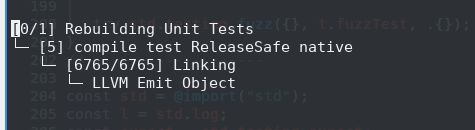
Finally, when the compilation is underway, right after that first “SUM: 0” output line and “failed command:…” line, before any other output traces to the console, there’s a “rebuilding unit tests” tree (with a usual LLVM bottom node) that processes for a bit, before it finally yields to the rest of the output from the fuzz testing. I think I know what this is, but could use confirmation, and I’d like to know how it connects to the behavior described.
When a test is run that does NOT cause an expect() to fire, the output looks like this:
test
└─ run test w

SUM: 0
failed command: ./.zig-cache/o/3a54ecac62630a68431d39fa1d8d10dc/test --cache-dir=./.zig-cache --seed=0x7fc3c113 --listen=-

======= FUZZING REPORT =======
Step: run test
Fuzz test: "superiorder.test.fuzz" (9c51d2de33aa71f2)
Runs: 0 -> 107
Unique runs: 0 -> 2
Coverage: 0/9428 -> 152/9428 (1.61%)
------------------------------
Values are accumulated across multiple runs when preserving the cache.
==============================
Build Summary: 5/5 steps succeeded; 4/4 tests passed
Finally, note, here’s what that transient looks like. This is an image because I can’t select/copy in my console while it’s underway:
EDIT: I see the @disableInstrumentation() at the heads of many fuzz functions like eosWeightedSimple() - might be significant. I just haven’t pieced it all together.