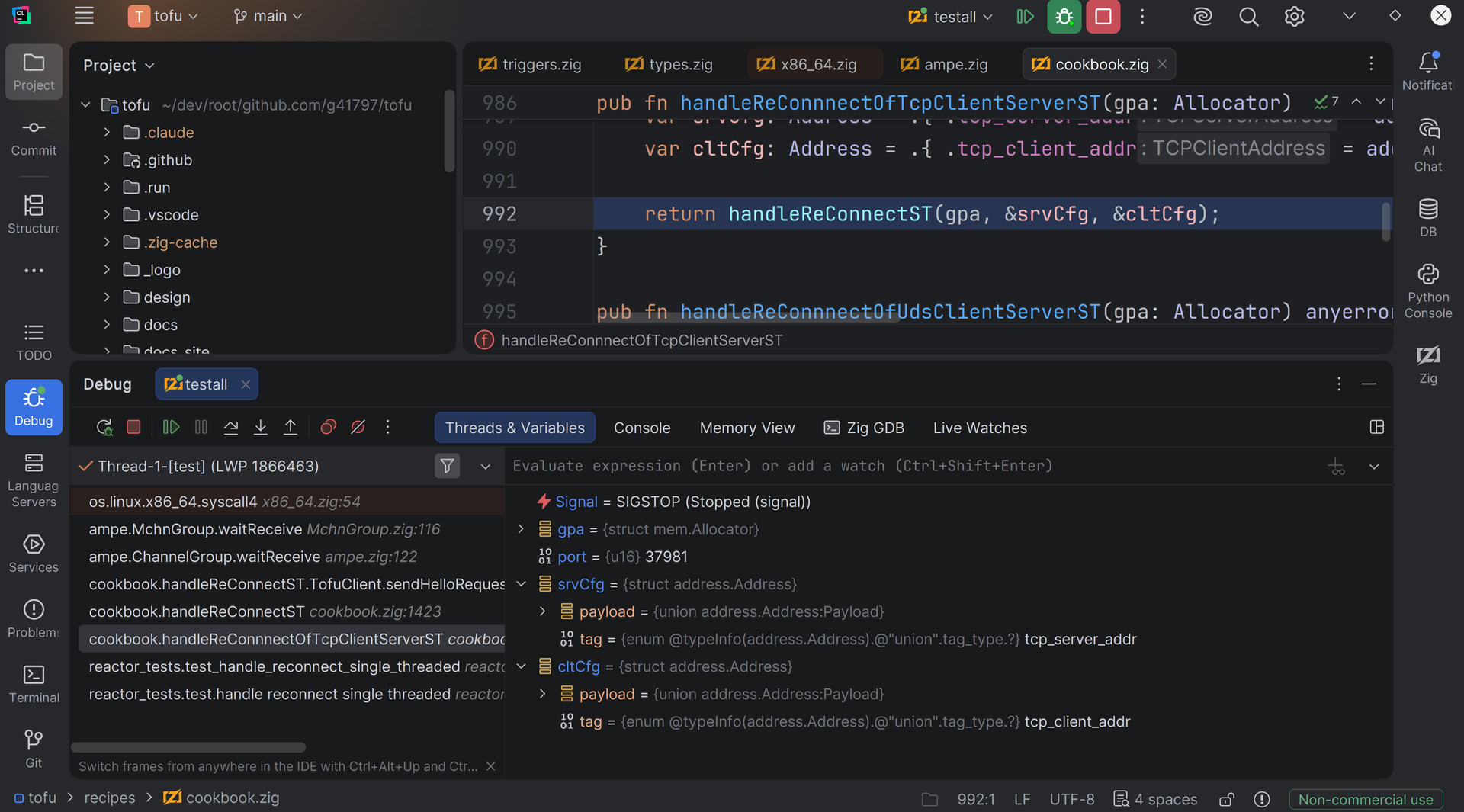
I pretty much refuse to work in any language that doesn’t allow to tightly integrate step-debugging into the development workflow (thankfully with VSCode and the Debug Adapter Protocol the situation is much better than 15 years ago, even if the DAP is quite barebones).
My typical dev-workflow is basically: write a couple of lines of code (or more than a couple), press F5 (build, and start into debug session), and step through the code. I use this time to reflect on the code (does the init code require too much boilerplate? is this loop here too heavy? could this expression be simplified?), and generally to get and stay familiar with a codebase (e.g. I also step though old code from time to time just to confirm that it doesn’t do dumb shit).
E.g. without a debugger, any codebase always feels ‘alien’ to me. I need to step through it to really get the code into my brain (or rather: what the code does to data - debugging a program basically adds the time dimension to programming).
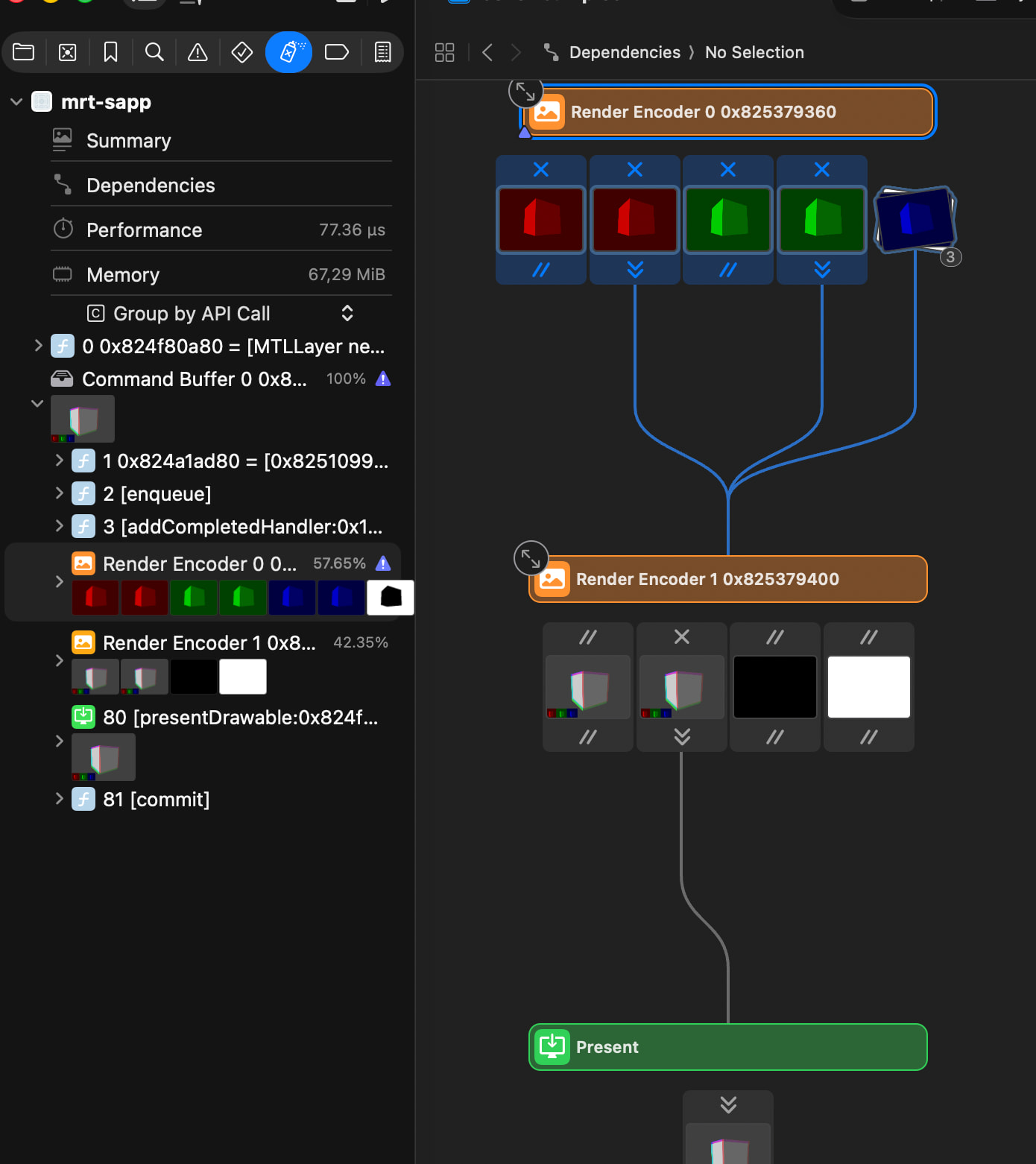
…also this is just CPU-debugging… but for rendering work, GPU debuggers like RenderDoc or the Metal and D3D debuggers integrated into Xcode and Visual Studio are even more essential.
The memory debuggers in Visual Studio and Xcode (via Instruments) also come in handy when debugging or optimizing memory management (you basically get a realtime view of how much memory your app currently allocates, can take snapshots and drill down to each unique allocation).
Also important: I use those debuggers 99% of the time not for actual debugging, but for runtime code- and data-exploration. This early time in the debugger drastically reduces time spent later in the debugger when shit has hit the fan 
To answer your questions one by one:
- Who’s using a debugger? What’s you setup?
Me  Setup for C/C++ code is either VStudio, XCode or more commonly VSCode (each of those tools have their up- and downsides, also depending on platform). For Zig and other languages that support DWARF debug info I typically use VSCode with the CodeLLDB debug extension.
- What useful information does a debugger offer that I otherwise might not see?
Runtime control flow and runtime data updates, obviously You can set all sorts of ‘smart’ breakpoints (break when an expression is true, break when any code reads or writes a specific memory location, etc…). Also for “actual” post-mortem debugging (e.g. a bug happens out in the wild, you get a “minidump” from the user (ideally) and load that into the debugger - even with optimization enabled this usually gives you an inspectable callstack at the time of the crash, with most of the runtime data state around the crash inspectable).
- What’s debug info?
Additional info associated with the executable which maps machine code locations back to source code locations, and the same for type definitions (e.g. what structs exists and how they map to memory). This debug info is sometimes embedded in the exe (usually on GCC and Clang), and sometimes lives in external files (usually on MSVC with .pdb files)
- Are debuggers only for IDEs, or are there standalone debugging tools?
There are standalone debuggers like gdb, lldb or RemedyBG (RemedyBG by remedybg), but personally I prefer IDE integration. GDB and LLDB might sometimes be useful on a barebones terminal (like connecting via SSH to a Linux server, but such remote debug session are also trivial with VScode). Note though that most non-Visual-Studio debugger integrations are simply GUI frontends for GDB or LLDB.
- What are the legacy debugging tools?
Are there legacy debugging tools?  Maybe gdb and lddb, but with a graphical frontend they are as ‘modern’ as anything else.
- What are the solidly useful and standard debugging tools?
The best debugger is the one in Visual Studio, it’s as simple as that. Shame that everything else in Visual Studio sucks. But in general, there hasn’t been much progress in the last 40 years or so, with the notable exception of rr: GitHub - rr-debugger/rr: Record and Replay Framework · GitHub (which comes with too many caveats though, and still lacks a proper and easy to use GUI AFAIK).
For a 3D API debugger I really like the Metal debugger that’s integrated into Xcode, it’s very ‘visual’:
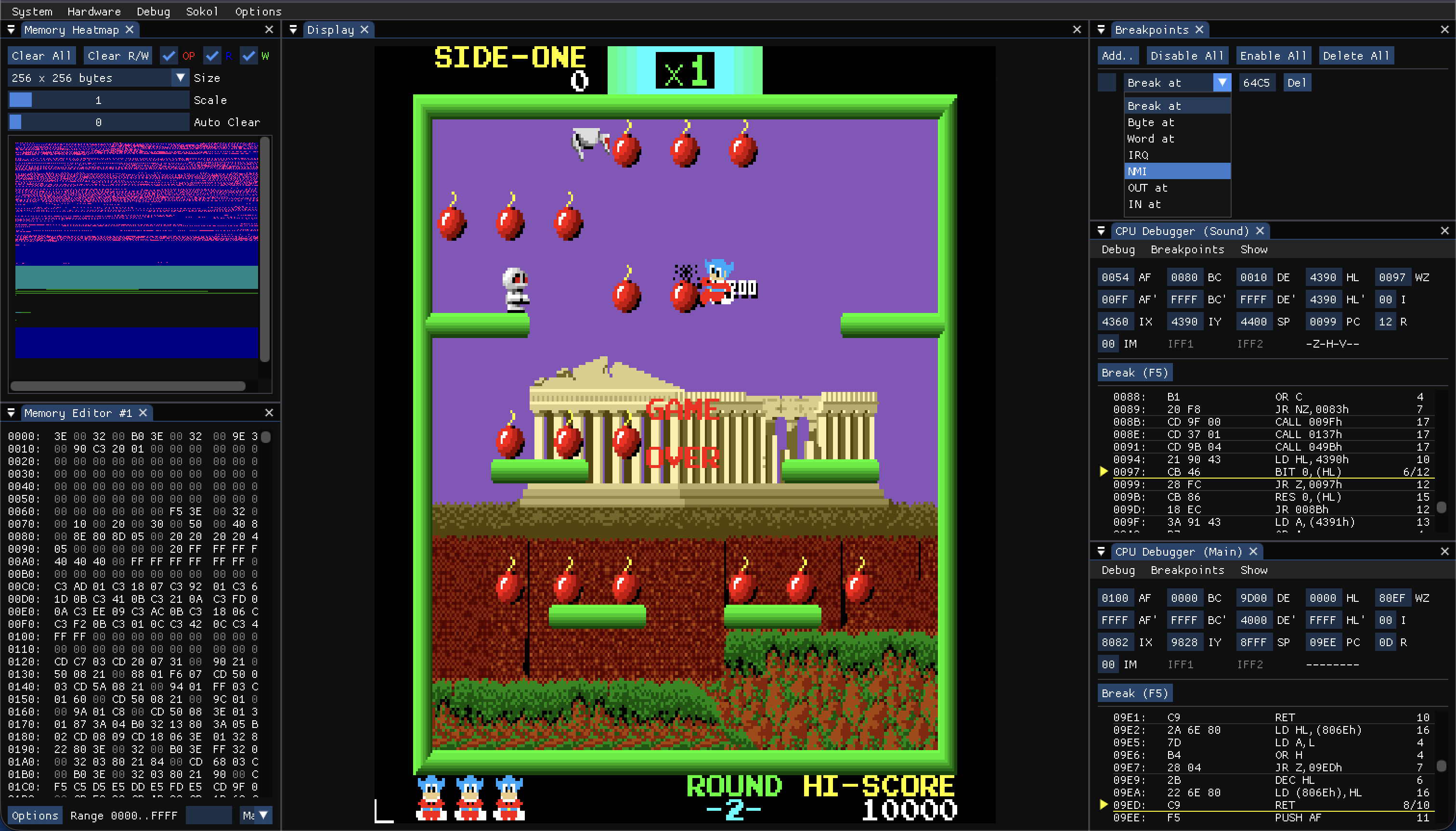
…also some home computer emulator have really nice debuggers (shameless plug):
- What would you consider are the new / up and coming / promising debugging tools and what do they do differently?
I’d really like to see “Edit & Continue” and “Rewind” available in all debuggers and generally better data visualizations (realtime memory read/write heatmaps, image viewers, graphs to watch values over time etc…). Some of that might be better done with a Dear ImGui debugging UI that’s integrated right into the debuggee… but why not have a debugger where the debuggee can plug in and provide custom visualization code via Dear ImGui?
“Edit & Continue” so that there’s no real difference between the “editing mode” and “debugging mode” in a typical development session, instead you always develop on the ‘live state’ of the program.
“Rewind” simply as a little time slider at the bottom of the debugger which lets you easily rewind to an earlier state in program execution (or at least give me manually created whole-program-state snapshots which I can return to).
PS: I sometimes wonder if famous people talking shit about debugging tools are responsible for why debuggers are basically stuck in the 1990s. E.g. Brian W Kernighans “The most effective debugging tool is still careful thought, coupled with judiciously placed print statements.” - first, keep in mind that this was written in 1979, and second, even otherwise decent and intelligent people can be spectacularly wrong on some topics
 10 years ago: