I have just uploaded an initial version of anszightml, that compiles (with zig 0.15.2) to an executable azh. That program provides a UTF-8 (with ANSI escape codes for colours etc), to HTML convertor. The result can be included into markdown (between <pre> and </pre>), to get coloured terminal commands and their output.
Although there are other programs that can do the conversion (aha, ansi2html), azh solves a few issues those programs have ( emitting empty <SPAN ....></SPAN> segments, having SPANs include newlines (which makes selection difficult), providing the URI in an ANSI OSC 8 sequence in plaintext, where you cannot see that URI in the terminal). On the other hand azh does not define classes for colours, so tweaking these afterwards is more difficult.
It is normally easy to capture (coloured) output from a single program, but you need to do more work when you also want to capture the program invocation (with its commandline options/arguments). Cutting and pasting from your terminal will usually drop any colouring information.
azh, when run within tmux, will allow you to capture the previous N commands + options, the (coloured) prompt and (coloured) output using
azh --capture --cmd N -o example.ansi
It will also save the 16 colours for the terminal theme and the foreground and background colour definition in the .ansi file, and use these when converitng. Even when the theme colours are used in the output by the commands you issue, your HTML should look the same as what you got in your terminal.
azh will try to determine your prompt, and try to find this prompt at the beginning of lines backwards in the buffer. This assumes the prompt doesn’t change (because of changing working directory that is echoed in the prompt, or changing VCS info), if it does, but the initial part of the prompt stays the same, using --prompt <initial part of your prompt> can help you out.
The created example.ansi can e.g. be converted with azh example.ansi to create a file example.html which can be included in your markdown or HTML file.
Tested with ghostty (other terminals might differ in providing the theme colour definition), tmux (needed for grabbing) on both macOS and Linux (Ubuntu 22.04). If you find any “.ansi” output that cannot be converted, please file a bug report or contact me.
background
I went a bit down a rabbit hole after seeing the following in the jujutsu documentation:
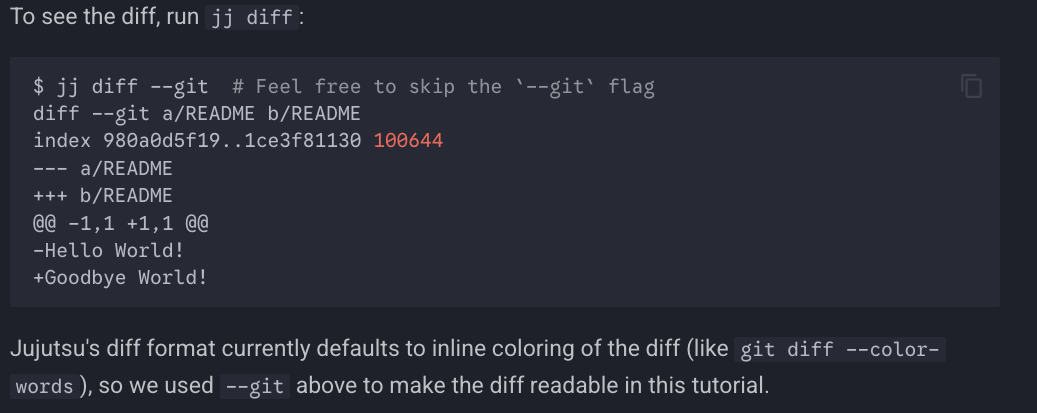
Not only do I think the output without
--git is more readable (and I hope the jujutsu developers do to, why default to coloured output in the first place, if not), but the code snippet in the documentation has colour because it was marked ```shell .
This is a screenshot from the terminal when you recreate the example:

and this is from the resulting captured and converted output, opened in the browser:

The commands used to generate that, under tmux, are:
jj git clone https://github.com/octocat/Hello-World
cd Hello-World
jj st
jj describe -m "Say goodbye"
sed -i "" -e 's/Hello/Goodbye/' README
jj st
jj diff
azh --capture -o jjexample.ansi
azh --wrap --fgbg jjexample.ansi
But please be careful to copy and paste the last three lines in three seperate steps, otherwise
there will not be a prompt for azh to work on (you can probably do something with `tmux send-keys to make it work).
background colour
azh currently does NOT define some “box” around the capture, for which the background could then be set. If the surrounding HTML (possible generated from markdown) doesn’t set the background to the same background colour as that of the included snippet, things may not look nice. I briefly considered filling out the lines with spaces, but that would wreak havoc on cut-and-paste (and cut and paste is one of the reasons to not have a <pre> </pre> section instead of a screenshot with colours) :
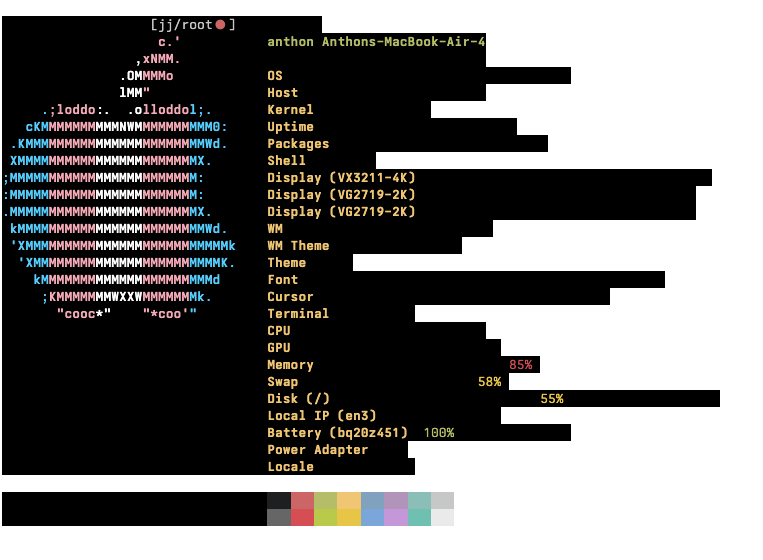
There are some websites that solve this issue without having the main text have the same background colour as the code snippets, if I find an acceptable solution, this might be added (as a conversion option). Any suggestions for this are welcome.
private use area
azh will warn about, but copy, any codepoints in the input that are in the Unicode private use area. These can be e.g. the Apple or Ubuntu logo in your prompt, or special (graphics) characters used by fancy prompters (like oh-my-posh). These might not show up correctly in a browser (especially someone else’s), without all of the special fonts:

The above has screenshots, instead of included HTML, as I don’t think ziggit does allow colour information to be set in HTML spans.