I used to use VSCode with the extension that showed inferred types inline, but VSCode is kinda heavy on my laptop. Switched to Zed, installed the extension, but it doesn’t display inferred types like VSCode did – makes it harder to follow the code. Any advice? Is this just not supported yet?
Not familiar with VSCode or Zed, but my assumption would be that what you’re talking about came from zls, not VSCode itself, so you’d need to install zls for Zed.
zls installation documentation for Zed might help.
If GUI editors are heavy on your laptop (which is not unlikely with older hardware), did you try terminal based editors? They’re much more lightweight in general (with or without LSP).
I personally use zvm to install both zig and zls and zed is able to detect it correctly that way, with all my manual installations, i needed to give exact paths which obviously broke as i switched versions.
I’m using Zed for Zig and everything works mostly fine.
The ZLS config is pretty simple (zvm makes it easy to move between versions if you need) and autocomplete and inlay hints work as expected.
{
    "lsp": {
        "zls": {
            "binary": {
                "path": "/Users/kamil/.zvm/bin/zls",
            },
            "initialization_options": {
                "enable_build_on_save": true,
                "build_on_save_step": "check",
            },
        },
    }
}
and the debugger is also very easy to setup and works pretty well:
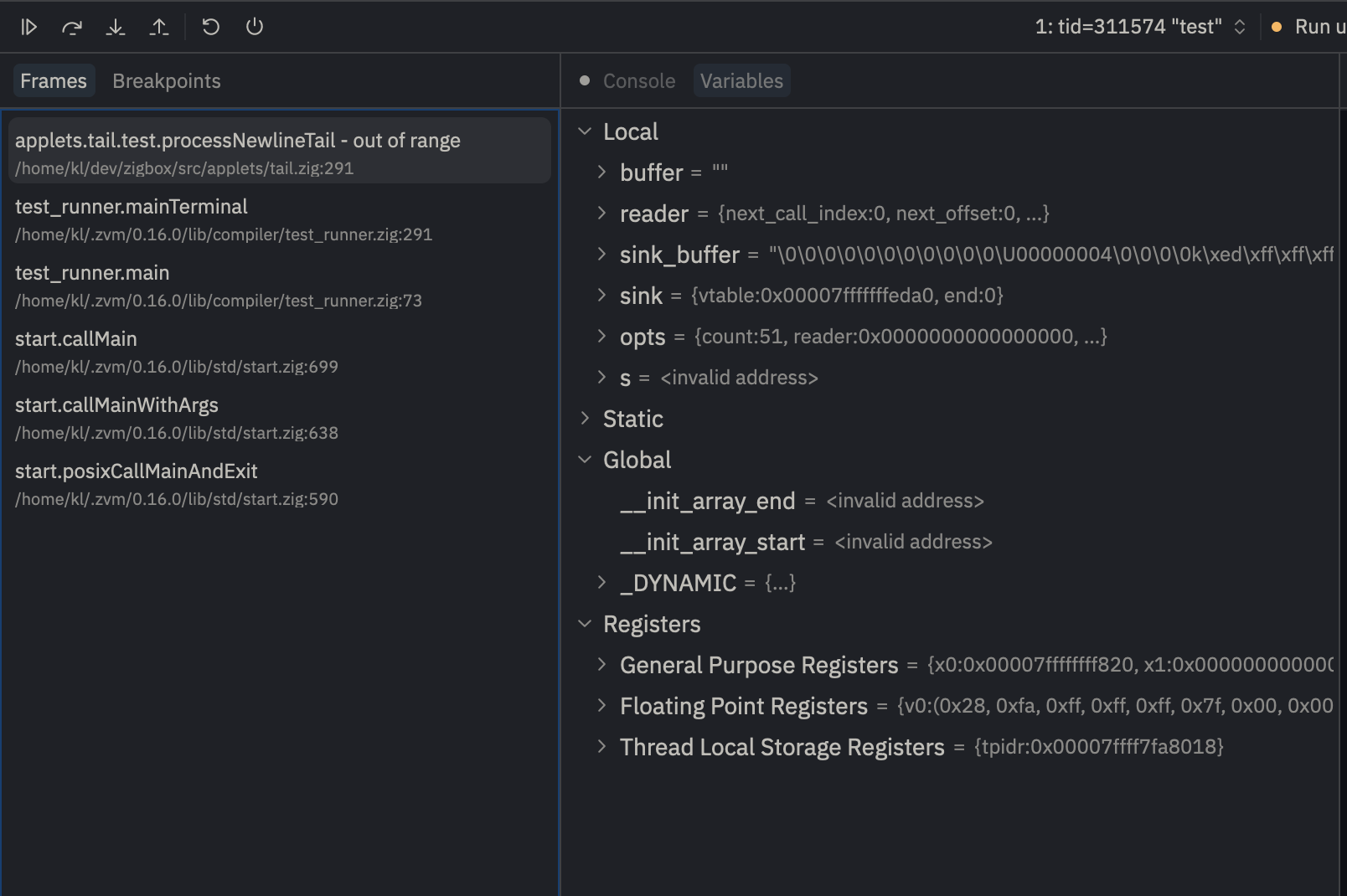
This is my config for running unit tests under debugger:
// in .zed/debug.json
[
    {
      "label": "Run unit tests",
      "adapter": "CodeLLDB",
      "program": "zig-out/bin/test", // need to install a test artifact in build.zig
      "request": "launch",
      "build": {
        "command": "zig",
        "args": ["build"]
      }
    }
]
This makes it one-button to compile and run the tests, with breakpoint support out of the box.
This is LLVM backend though, I’m running my stuff over a remote connection to a Pi5.
Check out the page on inlay hints:
Zed Docs: Inlay Hints
Inlay hints provide additional information inline in your code, such as parameter names or inferred types. Configure inlay hints in your
settings.json:"inlay_hints": { "enabled": true, "show_type_hints": true, "show_parameter_hints": true, "show_other_hints": true }For language-specific inlay hint settings, refer to the documentation for each language
If that was already enabled, then I’d compare the extensions configuration of zls path to your systems zls path
Thanks, I figured it out. I initially thought that feature was provided by the extension…