Hey folks, 0.12.1 was released yesterday!
This was another small release, but with a novel feature, path effects!
About path effects
Path effects is the informal term I’m giving to ungrouped functions in in z2d.Path that all have one thing in common: they all mutate the supplied path, returning a new one with a particular effect applied.
The first two functions of this type are complementary of each other: Path.simplify and Path.offset.
Simplify
Path.simplify takes a path and returns non-intersecting outlines. An easy way to illustrate this would be a 5-point self-intersecting star, and simplifying that to just be the outline:
This will also split self-sealing paths up into separate closed paths (think something along the lines of creating two triangles with a single closed path).
Offset
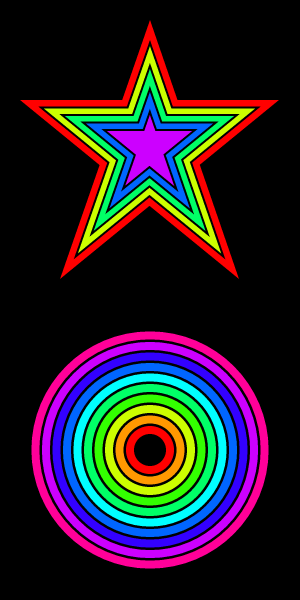
Path.offset allows one to create a new path with an inset (negative offset) or outset (positive offset). This allows for easy effects off of a single path:
This can also be used to apply offsets to an open path, which is used in Ghostty to ensure certain stroked glyphs can fit in a cell while still being aligned to the cell bounds.
The only requirement for offset is that the path is not self-intersecting (for which you can use Path.simplify to get a simplified path).
Context path effects
Like most other functionality in z2d, both path effect functions have corresponding functions in Context, those functions being Context.simplifyPath and Context.offsetPath. These functions replace the current context-managed path with the result of the operation.
Examples
You can get more details on how to apply Path.simplify and Path.offset in the acceptance test from which the above images were taken! This acceptance test uses the Context variants, demonstrating the higher-level, managed versions of these functions.
Release notes
Full release notes are here, including a couple of additional bug fixes: https://github.com/vancluever/z2d/blob/v0.12.1/CHANGELOG.md